
Assign territory, see what gets worked, and track what happens at the door.
COACHING
Knowwhatyourrepsaresayingatthedoor.
KnockDesk turns recorded field conversations into summaries, pitch scores, and coaching insights.
See where conversations are breaking down, which reps need help, and what your strongest reps are doing differently — without relying only on ride-alongs or final sales numbers.
DOOR RECORDING
Capturetheconversationwhileithappens.
Reps can record a visit directly from KnockDesk, with consent built into the workflow.
They can pause, resume, or skip recording when needed. Recordings work offline and sync when service returns.
Managers can review the team’s recordings while reps retain access to their own.
- Start recording from the visit
- Consent built into the workflow
- Pause and resume
- Works offline
- Rep and manager access based on role
CONVERSATION RECAP
Gettheimportantpartswithoutreplayingthewholeconversation.
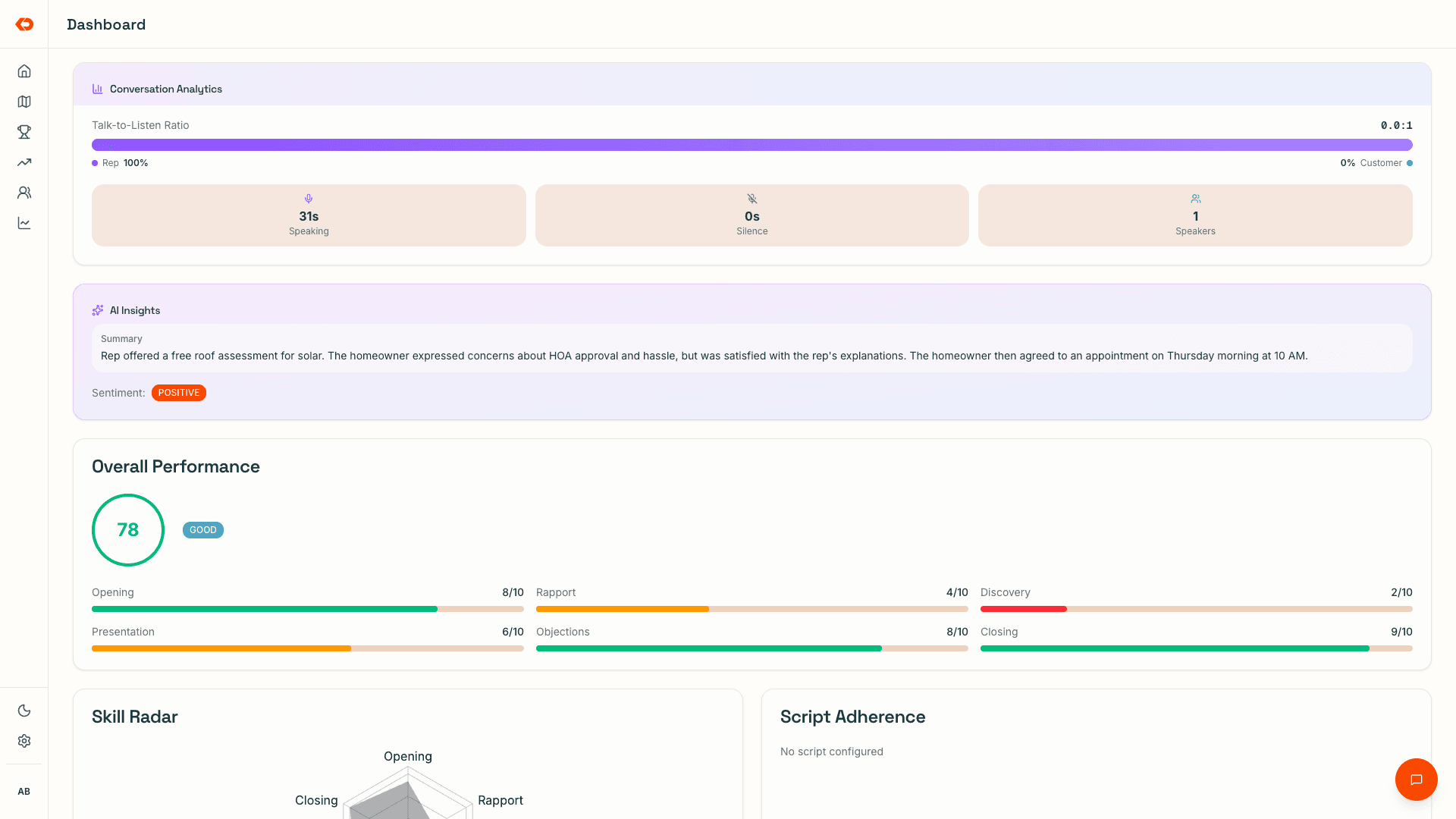
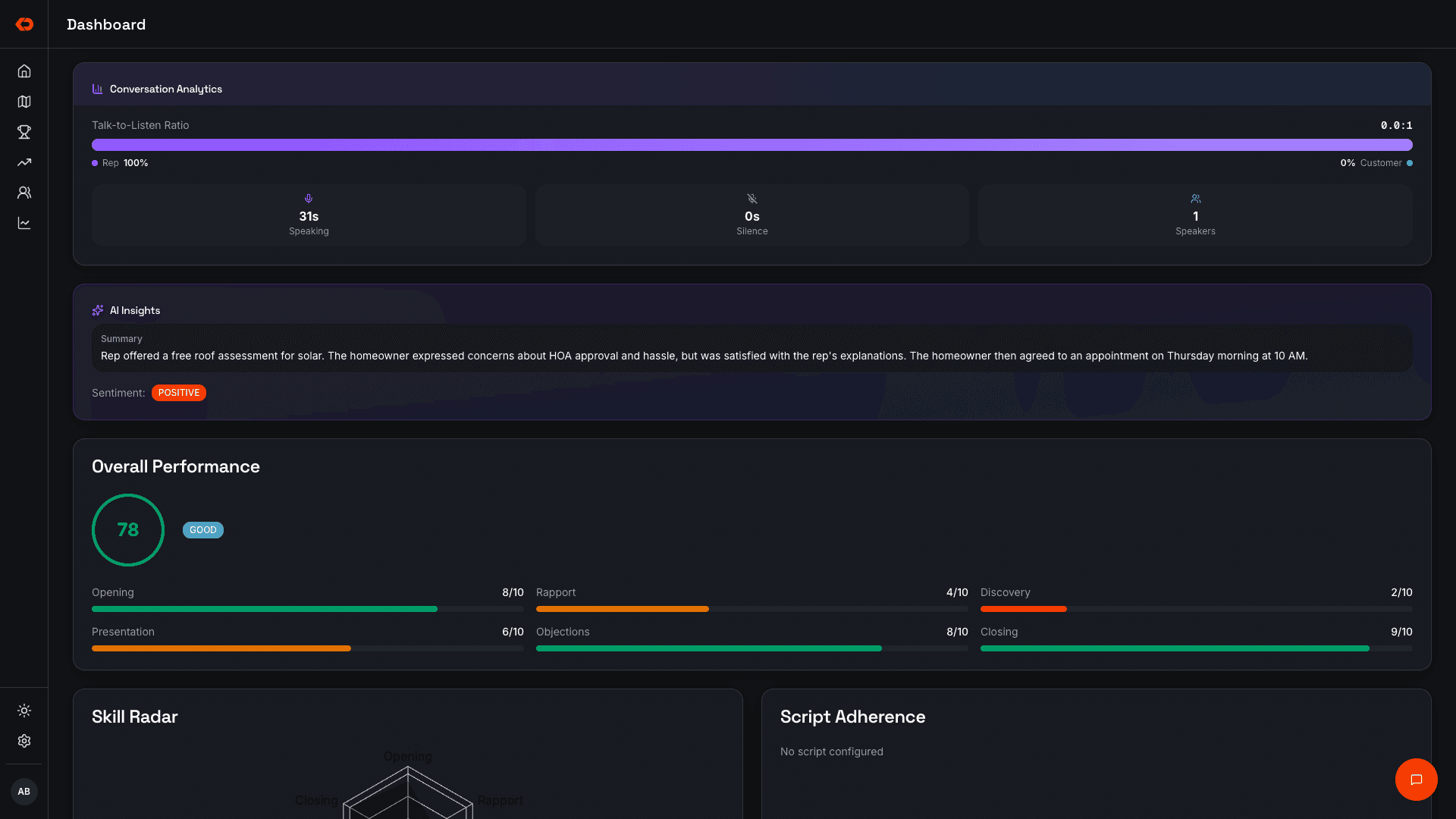
After the visit, KnockDesk creates a recap of what happened at the door.
Managers and reps can quickly see the summary, objections, interest level, next step, and follow-up information before deciding whether the full recording needs review.
- Conversation summary
- Objections
- Interest level
- Suggested next step
- Follow-up information
PITCH SCORES
Seewherethepitchisbreakingdown.
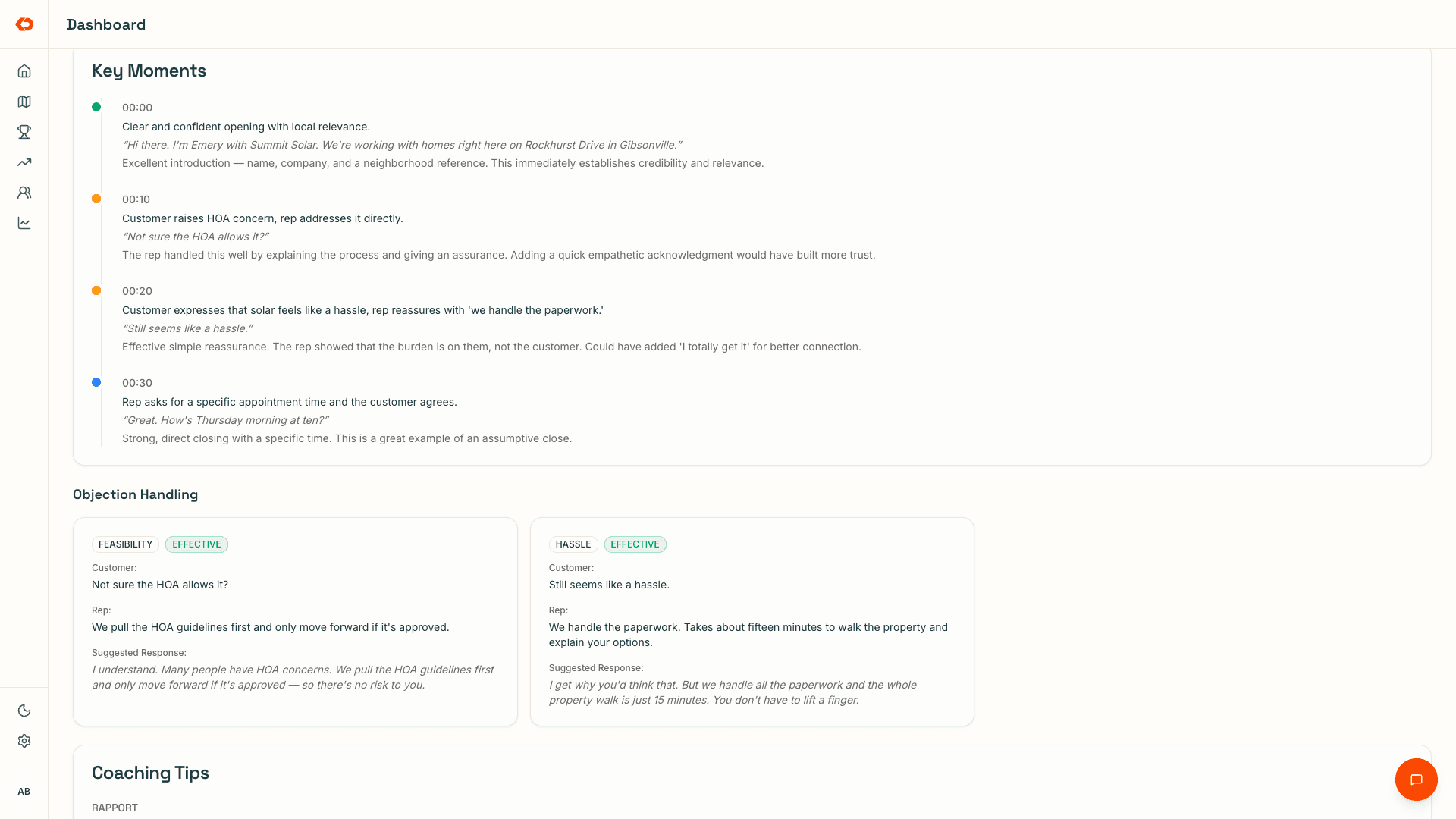
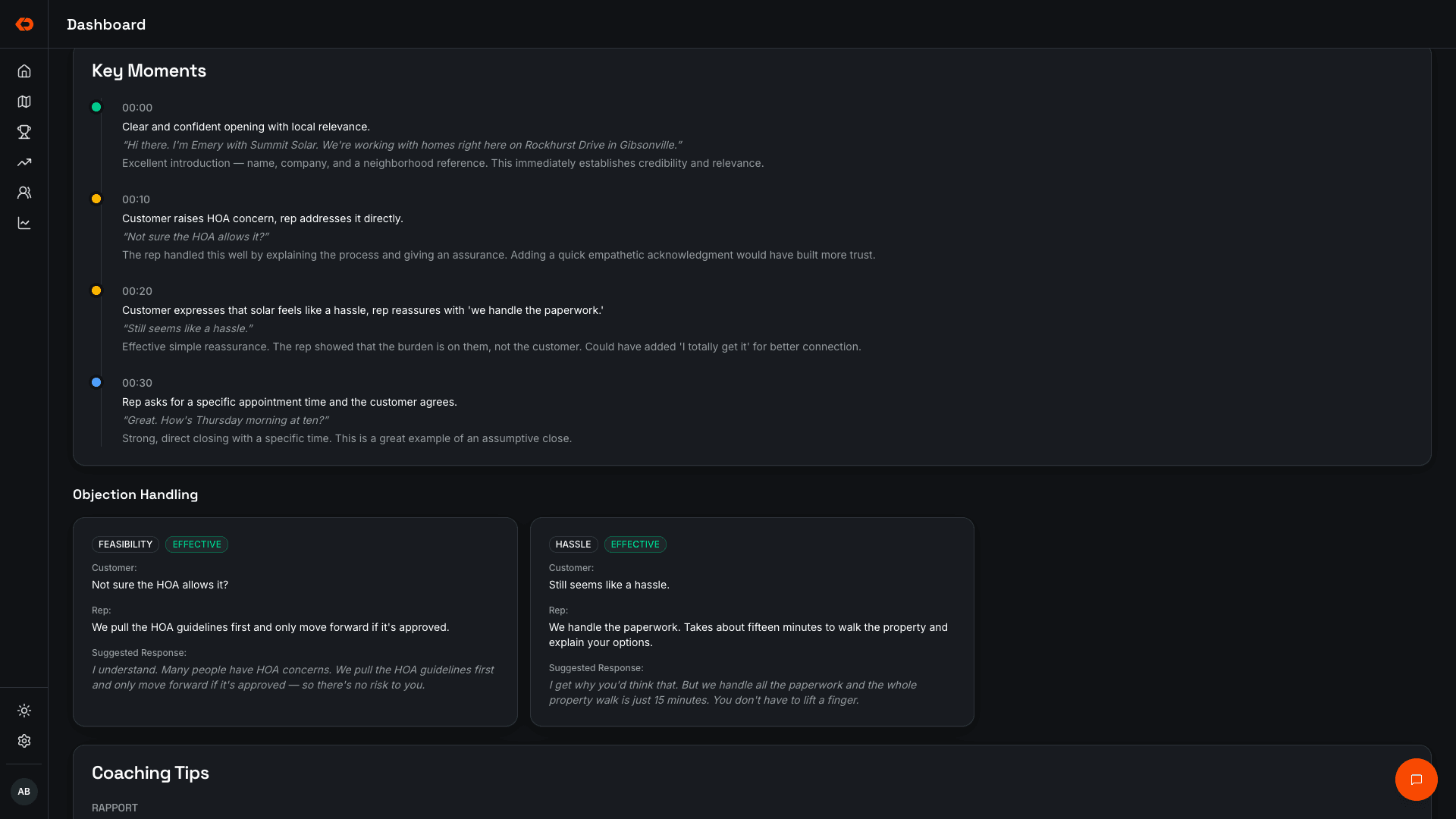
Each recorded conversation can be scored across the parts of the sales process that matter.
Instead of only knowing whether a rep made the sale, managers can see where the conversation was stronger or weaker — from the opening through objection handling and close.
- Opening
- Rapport
- Discovery
- Presentation
- Objection handling
- Close
- Key moments and timestamps
- Talk-to-listen and pace
YOUR PLAYBOOK
Scoreconversationsagainstthewayyouwantyourteamtosell.
Build your sales playbook inside KnockDesk and define the steps you expect reps to follow.
Recorded visits can then be reviewed against that process so managers can see which steps reps consistently use, where they deviate, and which parts of the sales process may need more coaching.
- Set required sales steps
- See missed steps
- Track playbook adherence
- Update the playbook as your sales process changes
REP FEEDBACK
Giverepsfeedbacktheycanactuallyuse.
Reps can review feedback from their conversations, see recurring skill gaps, and understand what to work on next.
Daily and weekly coaching summaries help turn individual conversations into patterns so improvement isn’t based on one isolated door.
- Feedback from recorded conversations
- Daily and weekly summaries
- Skill gaps
- Action items
- Available on web and mobile
TEAM COACHING
Seewhoneedscoachingandwhattoworkon.
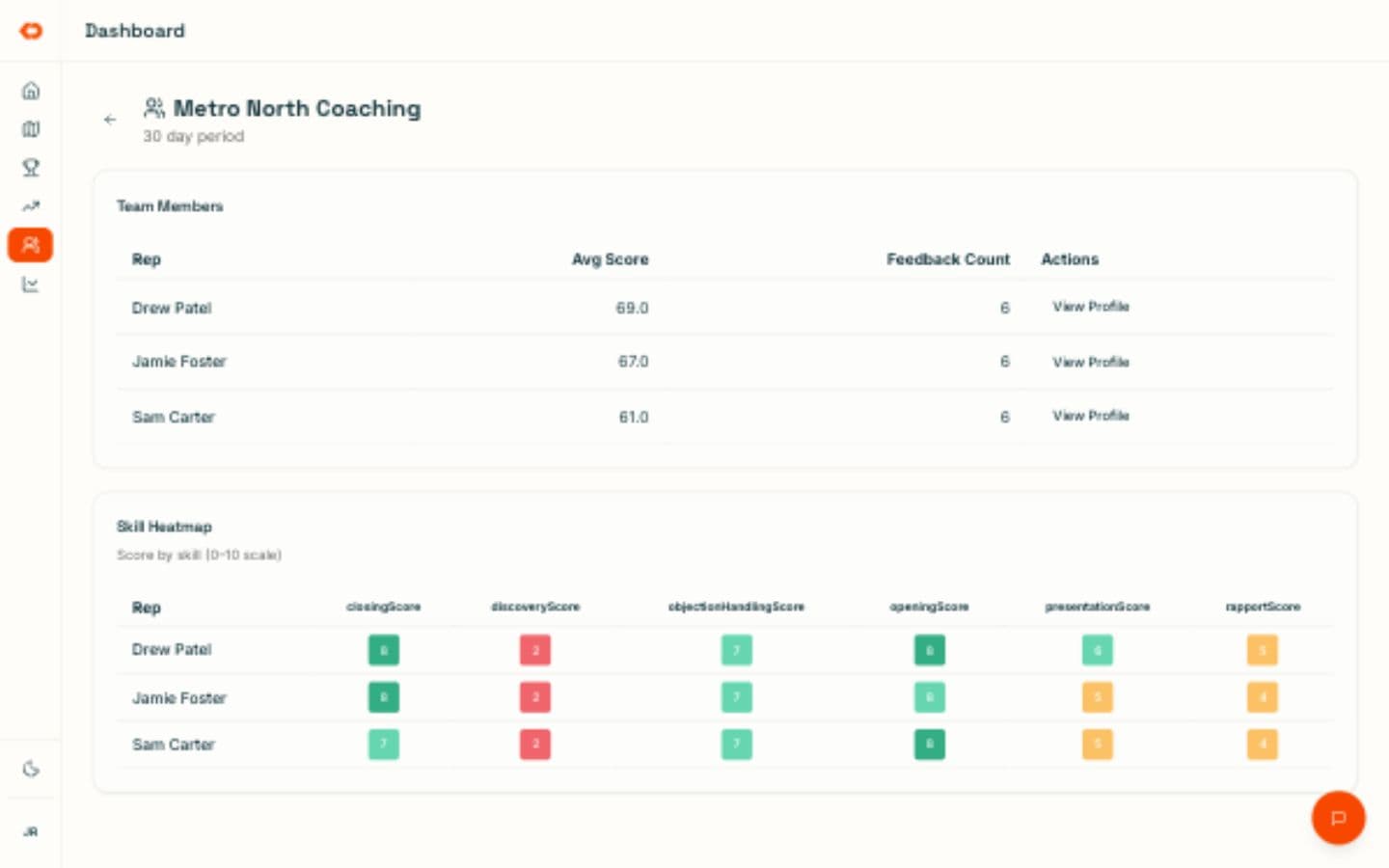
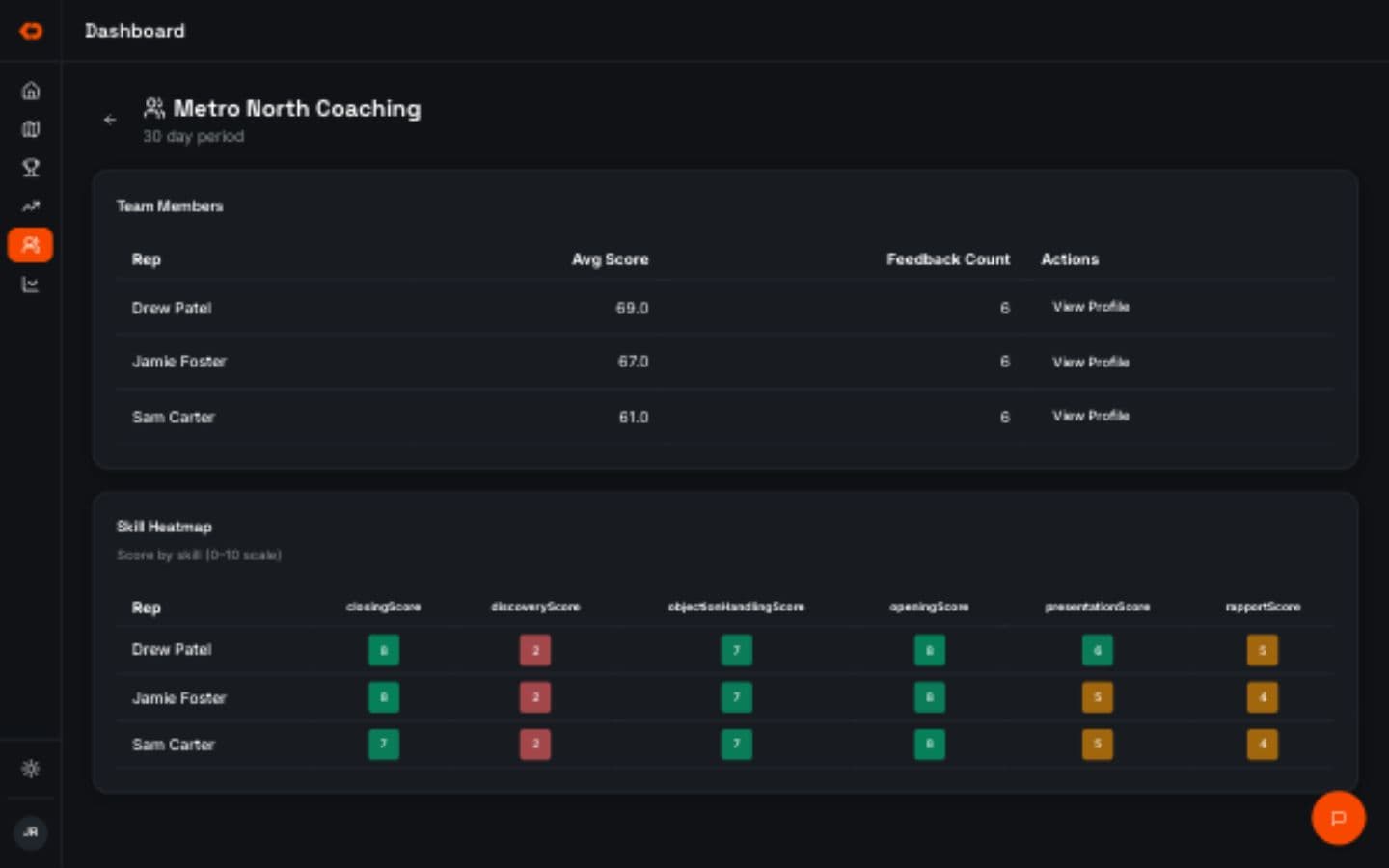
Managers can review scores and patterns across the team instead of deciding who to coach based only on the handful of conversations they personally witnessed.
See which reps are struggling with particular parts of the pitch, which objections keep showing up, and whether the same issue is appearing across multiple people.
Then open the underlying conversations when more context is needed.
- Team-level scores
- Rep-by-rep patterns
- Common objections
- Playbook adherence
- Recorded conversations for deeper review
NEW REP DEVELOPMENT
Helpnewrepslearnfromrealconversations.
New reps can learn from actual field conversations, coaching feedback, and the same sales playbook they’ll be expected to use once they’re in the field.
That gives managers a more consistent way to teach the sales process and gives new reps real examples they can study as they develop.
FAQ
Frequently asked questions
No. Recording is optional. Territory, visit logging, routes, and lead follow-up continue to work without it.
ALSO IN KNOCKDESK
Coaching works alongside canvassing and competing.
Run contests, keep standings visible, and reinforce the sales activity you want more of.
BOOK A WALKTHROUGH
See how KnockDesk would work inside your sales organization.
We’ll walk through how your team coaches reps today, what managers can and can’t see from field conversations, and where coaching opportunities are being missed — then show you what that workflow looks like inside KnockDesk.
Book a Walkthrough